The WiFi QR code question nobody asks
You know what a WiFi QR code does. A guest scans it, their phone connects to your network, no password dictation. You set it up, print it, and move on.
But here is a question most people never ask: should this be a static or a dynamic QR code?
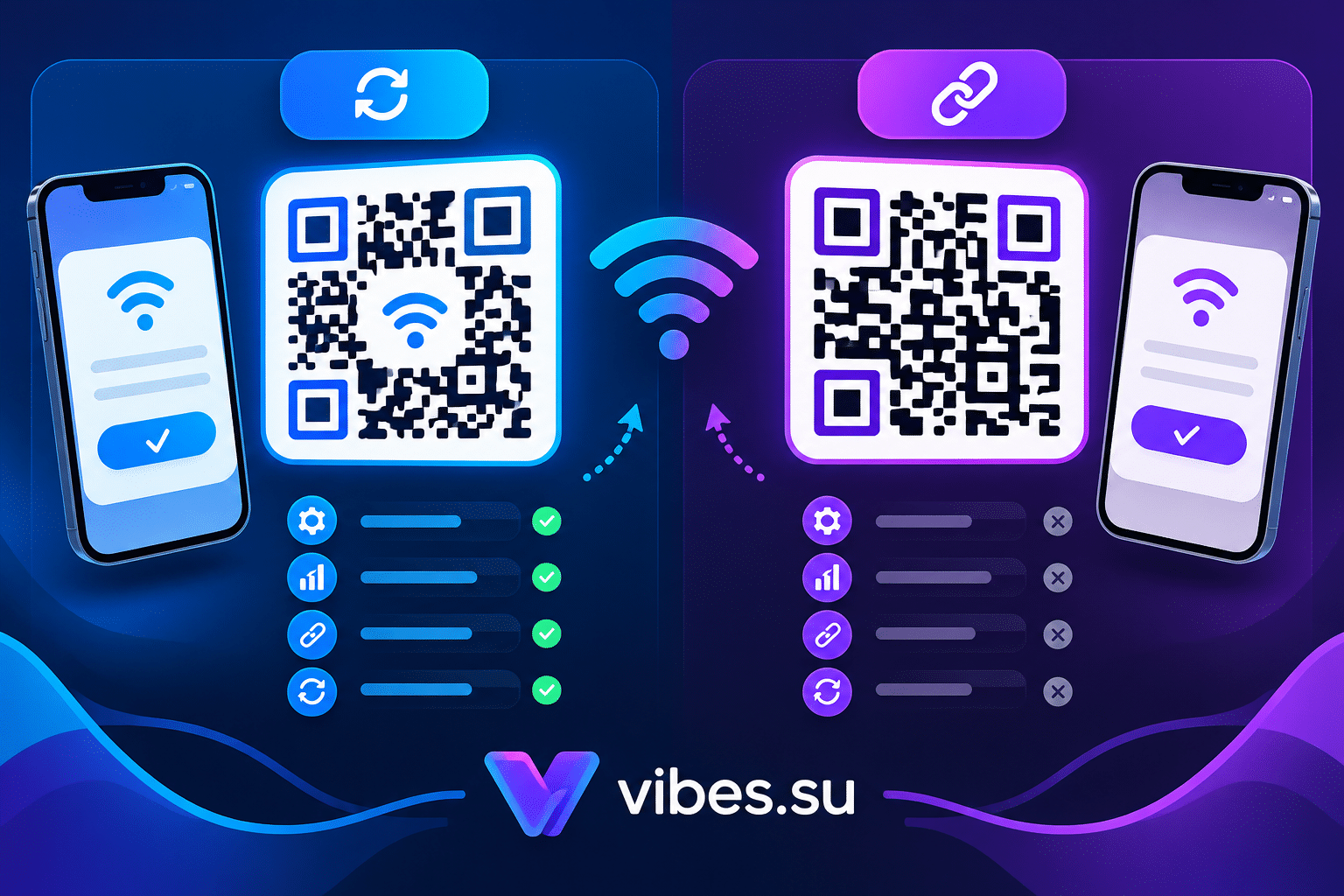
The answer matters more than you think. A static WiFi QR code encodes your network name and password directly into the pattern. It works forever, costs nothing, and collects no data. A dynamic WiFi QR code encodes a short redirect link. When someone scans it, they pass through a server that logs the scan, then redirects to a page that shows the WiFi credentials. The destination can be changed without reprinting.
For a home network, static is fine. For a business, the choice is not so obvious. This article breaks down when each type makes sense and how to decide.
What a static WiFi QR code gives you
A static QR code has the data baked into the pixel pattern. For WiFi, that means the SSID, the password, and the encryption type are encoded directly. There is no server in the middle, no redirect, no dashboard.
The advantages are real:
— It works forever. As long as your network exists and the password does not change, the code keeps working. No subscription, no dependency on a service staying online.
— It is faster. The phone reads the code and connects directly. No redirect hop adds latency.
— It is private. No scan data is collected. No third party sees who scanned or when.
— It is free. You generate it once and use it indefinitely.
The disadvantages matter for business use:
— You cannot change the password without reprinting. If you change your WiFi password, every printed code becomes useless. You must generate new codes and replace every sticker, table tent, or sign.
— You get no data. You do not know how many people scanned the code, when, or from what devices. You cannot tell if the code on table 5 works better than the one near the door.
— You cannot fix mistakes. If there is a typo in the password or the network name, you must reprint.
What a dynamic WiFi QR code gives you
A dynamic QR code encodes a short redirect URL instead of the WiFi credentials directly. When someone scans, the server logs the scan and forwards them to a page that delivers the WiFi connection data.
The advantages for business:
— You can change the password without reprinting. Update the destination page, and the printed code keeps working. This is huge for cafes, salons, and offices that change passwords periodically.
— You get scan analytics. You see how many scans, when, from what devices, and from which approximate locations. You know which placements work.
— You can update the destination if needed. If you want to show a splash page, a promotion, or a welcome message before connecting, you can do that.
— You can track unique versus repeat scans. See if the same person scans repeatedly or if new guests are connecting.
The trade-offs:
— It depends on a service staying online. If the redirect service goes down, the code stops working.
— There is a redirect hop, which adds a small delay.
— Scan data is collected by a third party. For some businesses, that raises privacy considerations.
— Dynamic codes usually require a paid plan.
When to choose static
Static WiFi QR codes are the right choice in specific situations.
Home networks. You are sharing your WiFi with guests. The password rarely changes. You do not need analytics. Static is simple and free.
Small offices with stable passwords. If you work in a small office and the WiFi password has not changed in years, a static code is fine. Print it, stick it on the wall, done.
Guest networks that never change. Some businesses have a guest network with a permanent password. If yours is like that, static works.
One-time events with a temporary network. If you set up a WiFi network for a conference or a pop-up event, and the network will be dismantled afterward, a static code is fine. You do not need long-term analytics.
When you want zero dependency. If you do not want to rely on a service staying online, static is the safe choice. The code works as long as the network exists.
When to choose dynamic
Dynamic WiFi QR codes make sense for businesses where the network changes or where data matters.
Cafes and restaurants. You change the WiFi password periodically for security. You want to know how many guests connect. You want to see if the code near the entrance gets more scans than the one on the menu. Dynamic solves both problems.
Salons and clinics. Clients wait, connect to WiFi, and you want to know how many use it. If you change the password, you do not want to reprint every sign. Dynamic lets you update the destination.
Coworking spaces. Members come and go. You want to track how many people connect and from which zones. Dynamic gives you that data.
Hotels and hostels. Guests connect constantly. You want to see scan patterns and possibly show a welcome page with hotel information or promotions before connecting. Dynamic supports all of that.
Any business that changes passwords. If you rotate your WiFi password for security, dynamic saves you from reprinting every code. You update the destination once, and all printed codes keep working.
How to create a WiFi QR code in Vibes
In Vibes, WiFi QR codes are available as a type in the QR code generator. The API supports parameters for WiFi encryption, password, and SSID.
The wifi_encryption parameter accepts values like nopass, WEP, or WPA/WPA2. You provide the wifi_password and the wifi_ssid. Vibes generates a code that, when scanned, offers to connect the device to your network.
For a dynamic WiFi QR code, you create a short link that leads to a page with the WiFi credentials, then generate a QR code for that link. When someone scans, they hit the redirect, get logged, and see the credentials.
For a static code, you encode the WiFi data directly. No redirect, no tracking.
Scenario: cafe with rotating WiFi password
You run a cafe. For security reasons, you change the WiFi password every month. You have WiFi QR codes printed on table tents and a sticker near the entrance.
With a static code, every month you must reprint all the table tents and the sticker. That is time and money.
With a dynamic code, you update the destination page once. The printed codes stay the same. Guests scan, get redirected to the updated page, and connect. You also see how many scans happen each month and from which areas.
Scenario: coworking space tracking usage
You manage a coworking space. You have three zones: hot desks, meeting rooms, and a lounge. You want to know where members connect most.
You create three dynamic WiFi QR codes, one for each zone. Each has its own UTM tracking or short link. You see scans by zone. The lounge code gets the most scans. You know where to prioritize seating and power outlets.
With static codes, you would have no idea which zone is most used.
Common mistakes with WiFi QR codes
The first mistake is using a static code in a business that changes passwords. You will reprint endlessly. Use dynamic if the password rotates.
The second mistake is using a dynamic code for a home network. You add dependency and complexity for no benefit. Static is fine at home.
The third mistake is not testing the code. Always scan your own WiFi QR code before printing. Make sure it connects to the right network.
The fourth mistake is putting the password in the code and then changing the network name. The code breaks. With dynamic, you just update the destination.
The fifth mistake is ignoring analytics. If you use dynamic, check the data. See how many scans, when, and where. Use it to improve placement.
FAQ
Can a static WiFi QR code be tracked?
No. Static codes encode data directly and have no server in the middle. There is no scan data to collect.
Do I need a paid plan for dynamic WiFi QR codes?
Dynamic QR codes in Vibes are available on paid plans. The Free plan supports static codes.
What happens if I change my WiFi password with a static code?
The code stops working. You must generate a new code and reprint all materials.
What happens if I change my WiFi password with a dynamic code?
You update the destination page or link. The printed code remains the same and continues to work.
Are dynamic WiFi QR codes slower to connect?
There is a redirect hop, which adds a small delay. In practice, most users do not notice.
Final thoughts
Static WiFi QR codes are simple, free, and permanent. They work forever if your network never changes. Dynamic WiFi QR codes are flexible, trackable, and updateable. They cost money and depend on a service, but they give you control and data.
For a home network, static. For a business that changes passwords or wants analytics, dynamic.
Choose based on whether you need to update the destination or track scans. If the answer to both is no, static is enough. If the answer to either is yes, dynamic is worth it.
Create a WiFi QR code in Vibes. Static codes are available on all plans, including Free. Dynamic codes require a paid plan. Sign up and generate your first code. Compare plans at Pricing.