Why test two pages with one link
You have a short link. You want to send traffic to a landing page. But you are not sure which version works better. The one with the discount in the headline, or the one with the free trial offer? The one with the video, or the one with the text?
Most marketers pick one and hope for the best. Or they pick the one they personally like. They send traffic, and they never know if the other version would have performed better.
URL rotation solves this. You create one short link. You add two destination URLs. You set a traffic split, for example 50/50. When people click the link, half go to page A, half go to page B. You watch the results. After a week or two, you look at which version converted better and you keep that one.
How URL rotation works
URL rotation is a method of comparing two or more destination URLs within a single short link. When someone clicks the link, the system assigns them to one of the destinations based on the split you configured. Then it measures which destination gets better results.
The key advantage is simplicity. You do not need to install anything on your website. You do not need to modify your landing page. You do not need a developer on your team. You just create a short link, add the second URL, set the split, and share the link.
This works because the rotation happens at the redirect level. The short link is the single point of entry. The system decides which destination to send the visitor to based on the rules you set. The visitor never knows they are part of a test. They just see the page.
How to set up URL rotation in Vibes
In Vibes, rotation is one of the targeting types available for short links. The platform supports targeting by continent, country, city, device, browser language, operating system, browser name, and rotation. Rotation is the mode you use for A/B testing.
Step one: create a short link
Log in to your Vibes dashboard and go to the short links section. Create a new short link. Enter the first destination URL. This is your control version, the one you are already using or the one you believe works better.
Step two: enable rotation targeting
In the link settings, find the targeting or rotation option. Enable it. This tells Vibes that this link has more than one destination and that traffic should be distributed between them.
Step three: add the second destination URL
Add the second URL. This is your test version, the one you want to compare against the control. It can be a different landing page, a different offer, a different pricing page, anything you want to test.
Step four: set the traffic split
By default, the traffic is split evenly between the two URLs: 50% to the control, 50% to the test version. You can adjust this if you want. For example, if you are testing a risky change, you might start with 80/20 to limit exposure. If you are confident in both versions, 50/50 gives you results faster.
The minimum percentage you can set to a single destination is typically 10%. This ensures that both versions get enough traffic to produce meaningful data.
Step five: test the link
Before you share the link, test it yourself. Open the link multiple times. You should be redirected to both destinations roughly equally. If you always land on the same page, something is wrong with the split configuration.
Step six: share the link
Share the short link wherever you normally share links. In Telegram, in VK, in email, in social media, in ads. Because the rotation happens at the link level, it works everywhere. You do not need to change anything about how you distribute the link.
Step seven: measure the results
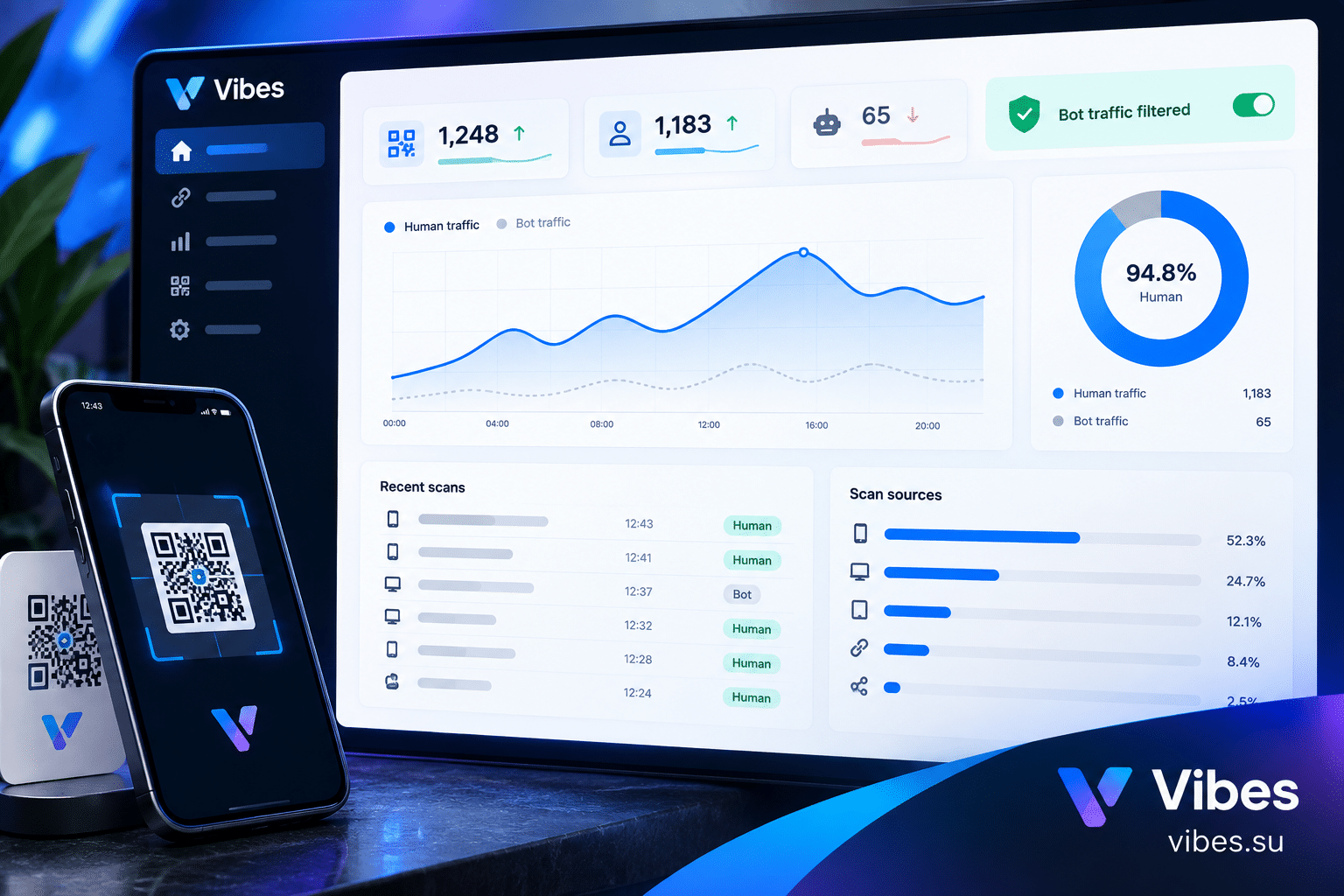
After a week or two, open the analytics for your short link. Vibes shows you how many clicks each destination received. If you have conversion tracking set up on your landing pages, you can compare conversions. If not, you can at least compare click-through rates and engagement metrics.
The version with more conversions wins. If conversions are tied, look at the conversion rate (conversions divided by clicks). If still tied, look at the total clicks. The goal is to identify the version that produces the best results.
Step eight: keep the winner
Once you have a winner, you can point 100% of the traffic to it. In Vibes, you can end the rotation and select the winning URL as the single destination. The short link itself does not change. Anyone who already has the link will continue to work. They will just be redirected to the winner.
Scenario: testing two landing pages for a webinar
You are promoting a webinar. You have two landing pages. Page A has a headline focused on the speaker. Page B has a headline focused on the topic. You are not sure which one will get more registrations.
You create a short link. You add both pages. You set the split to 50/50. You share the link in your Telegram channel and in your email newsletter.
After one week, you check the analytics. Page A got 120 clicks and 30 registrations. Page B got 115 clicks and 45 registrations. Page B has a higher conversion rate. You end the test and point all traffic to Page B.
Without URL rotation, you would have guessed. Maybe you would have picked Page A because you liked the speaker headline. You would have lost 15 registrations per 115 clicks. Over a full campaign, that adds up.
Scenario: testing two pricing pages for a SaaS product
You are launching a SaaS product. You have two pricing pages. One shows monthly pricing. The other shows annual pricing with a discount. You want to know which one drives more sign-ups.
You create a short link for the sign-up flow. You add both pricing pages. You set the split to 50/50. You share the link on Product Hunt, in relevant Telegram groups, and in your newsletter.
After two weeks, you check the results. The annual pricing page got fewer clicks but more sign-ups. The monthly pricing page got more clicks but fewer sign-ups. The annual page has a higher conversion rate. You keep the annual page.
This insight is valuable. It tells you that your audience prefers the commitment of annual pricing when they see the discount. You can now use this in your marketing messaging.
Scenario: testing two offers for an e-commerce product
You sell a physical product. You want to run a promotion. You have two offers. Offer A: 20% off. Offer B: free shipping. You want to know which one drives more purchases.
You create a short link for the product page. You add two versions of the page, one with each offer. You set the split to 50/50. You share the link in your Instagram bio, in your Telegram channel, and in your email list.
After one week, you check the results. Offer A got more clicks but fewer purchases. Offer B got fewer clicks but more purchases. The free shipping offer has a higher conversion rate. You keep it.
This is a common finding. Free shipping often outperforms percentage discounts because the value is more tangible. But you would not have known this without testing.
Best practices for URL rotation testing
Test one variable at a time. If you change the headline, the image, and the call to action all at once, you will not know which change made the difference. Isolate the variable you want to test.
Run the test long enough. Most A/B tests need at least one to two weeks to collect enough data. If you end the test after two days, the results may be noise. The recommended minimum is two weeks.
Make sure both versions get enough traffic. If one version gets 10 clicks and the other gets 1000, the comparison is not fair. Aim for at least 100 clicks per version before drawing conclusions.
Do not change the destination URLs during the test. If you modify one of the pages mid-test, you invalidate the results. Set up the test, let it run, then make changes based on the outcome.
Consider the context. If you are running a seasonal promotion, the results from a test in December may not apply in June. Test in conditions that match your actual campaign.
Common mistakes with URL rotation
The first mistake is testing too many variables at once. If you change three things, you do not know which one worked. Test one thing at a time.
The second mistake is ending the test too early. Two days of data is not enough. You need at least a week, preferably two, to see meaningful patterns.
The third mistake is not tracking conversions. Clicks are useful, but conversions are what matter. Make sure you can track what happens after the click. If you cannot track conversions, use click-through rate as a proxy.
The fourth mistake is ignoring statistical significance. A difference of 5 clicks between two versions might be random. Look for a meaningful gap before declaring a winner.
The fifth mistake is not testing at all. The biggest mistake is assuming you know what works. You do not. Test, measure, and let the data decide.
FAQ
Do I need a paid plan for URL rotation?
URL rotation is available through the targeting system. Targeting features are available on the Pro plan and above. The Free plan does not include rotation targeting.
Can I test more than two versions?
Yes. You can add more than two destination URLs and split traffic between them. However, the more versions you test, the longer you need to run the test to get meaningful data.
How long should an A/B test run?
At least one week, preferably two. If you have high traffic, you can get results faster. If you have low traffic, you may need longer.
What happens to the short link after the test ends?
The short link stays the same. You just change the destination to the winning URL. Anyone who has the link will continue to work. They will be redirected to the winner.
Can I combine rotation with geo targeting?
Yes. Vibes supports multiple targeting types. If you combine rotation with geo targeting, the targeting rules are evaluated first. Rotation applies only to traffic that is not already redirected by targeting rules.
Final thoughts
URL rotation for short links is a simple way to stop guessing. You create one link, add two destinations, and let the data decide which one works better. No code on your website, no developer, no complex setup.
Start with one test. Create a short link, add a second version of your landing page, set the split to 50/50. Share the link. Check the results in two weeks. Keep the winner.
Once you see how easy it is, you will want to test everything. Headlines, offers, pricing, designs. The more you test, the better your marketing becomes.
Set up URL rotation in Vibes. The feature is available on the Pro plan. Sign up and create your first rotation link. Compare plans at Pricing.