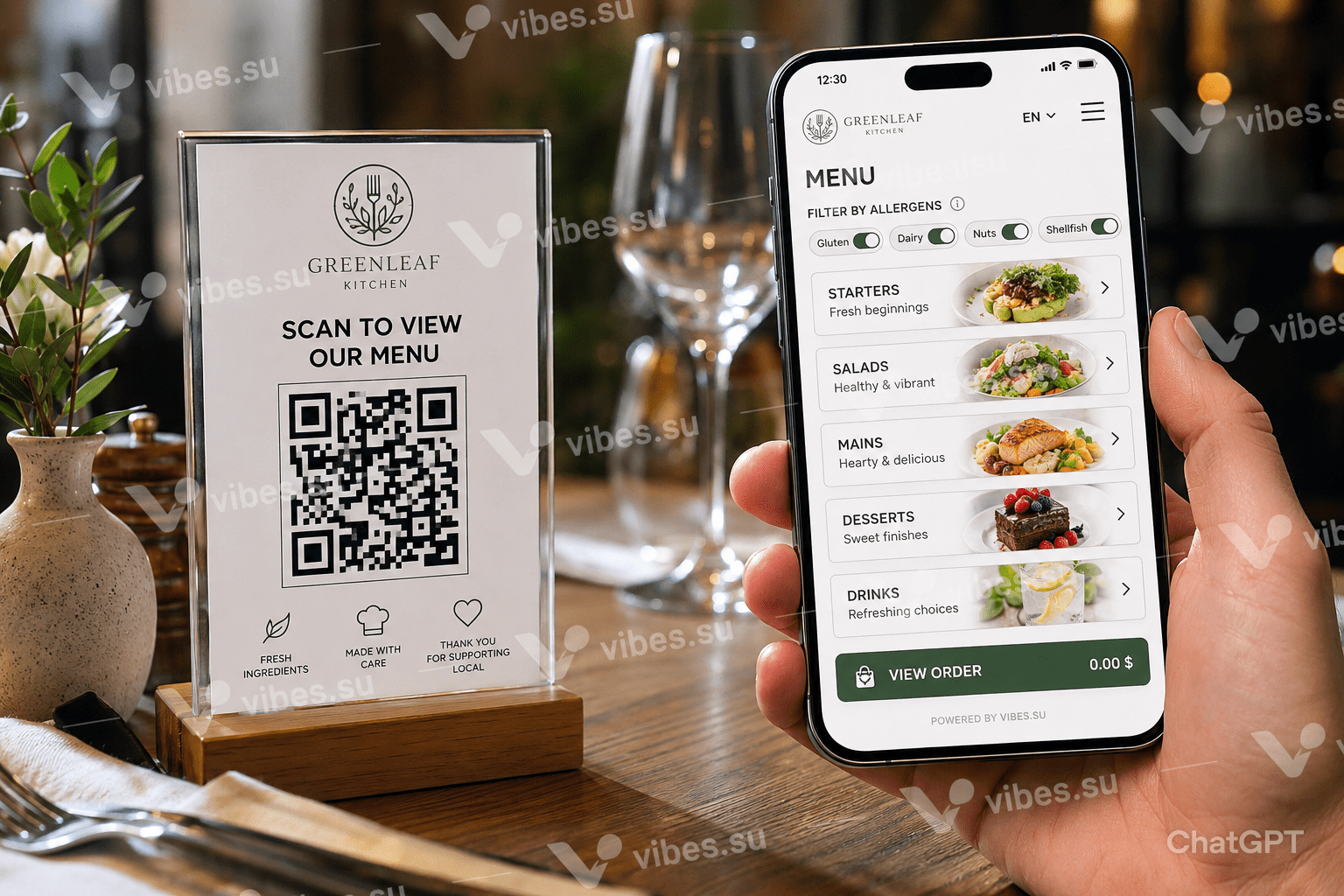
PDF menus, third-party ordering apps, and outdated specials boards create confusion. A single digital page solves all three with lower cost and higher average order value.
The menu problem no one talks about
Restaurants have three menu problems, and they are all connected. First: printed menus are expensive to update. A price change, a new dish, a sold-out special — reprinting costs money and takes days. Second: PDF menus on websites get downloaded once and go stale on the customer's phone. Third: third-party ordering apps take a 15-30% commission and own the customer relationship.
A single digital menu page solves all three. It is instantly updatable, always current, and commission-free. The technology has existed for years. What is changing is restaurant owners realising that a digital page performs better than the alternatives.
Digital page vs PDF menu vs third-party app
PDF menu: static, requires download, unreadable on mobile without zooming, cannot include allergen filters or dietary toggles. Average time from scan to close: 12 seconds.
Third-party app: commission on every order, customer data belongs to the platform, restaurant cannot communicate directly with diners after the meal. Good for discovery, terrible for margins.
Digital page: loads instantly, designed for mobile, updatable in seconds, no commission, full control over branding and customer experience. Average time on page: 2-3 minutes — long enough to browse, decide, and order more.
What a good digital menu contains
- Categories with clear headings and photos of the most popular dishes — images increase orders by 30%;
- Dietary toggles: vegetarian, gluten-free, nut-free — diners filter to see only what they can eat;
- Prices prominently displayed — hiding prices makes diners suspicious;
- A «call waiter» or «order» button — the menu should lead to action, not dead-end;
- Language toggle — if you serve tourists, a switch between two languages doubles engagement;
- Opening hours and location at the bottom — basic information people should not have to search for.
Updating the menu in real time
A printed menu cannot tell a customer that the sea bass is sold out tonight. A digital page can. Update the page once, and every QR code, every link, every saved bookmark instantly reflects the change.
This is not just convenient — it directly affects revenue. When a customer scans the QR code and sees «Chef's special: grilled octopus, 6 portions remaining», they order faster. Scarcity and freshness, communicated in real time, increase the average check size.
The customer data advantage
When a diner orders through a third-party app, the restaurant receives the order and the delivery address — nothing else. When a diner interacts with your digital page, you can collect analytics: which dishes get the most views, which hours have the most scans, which days see the most traffic. This data informs menu decisions, staffing, and promotions.
Some restaurants add an optional email capture to the digital page: «Get our weekly specials menu». Diners who opt in become a direct marketing channel that costs nothing to reach.
Implementation in one afternoon
- Create a digital page with your menu categories, descriptions, and photos.
- Generate a QR code that links to the page.
- Print the QR code on table stands, window stickers, and receipt slips.
- Update the page whenever the menu changes — no reprinting required.
The entire setup takes less than an afternoon. The QR code never expires. The page can evolve with the restaurant. The only ongoing cost is updating content — which you would do for a printed menu anyway, only faster and cheaper.